Check Balance Due

We have 2 recent examples where sum of selections does not match sum of payment amounts in the Check data received from the API
In both of these examples, inspecting the actual Receipt for the Check shows that there is a Balance Due
Is this Balance Due data in your API Order payload? It appears not, but maybe we are looking at it incorrectly.
If not, can it be added? Or by what other method can we reconcile that a Check in closed state has a Balance Due and what that amount is?
-

Hi Ian,
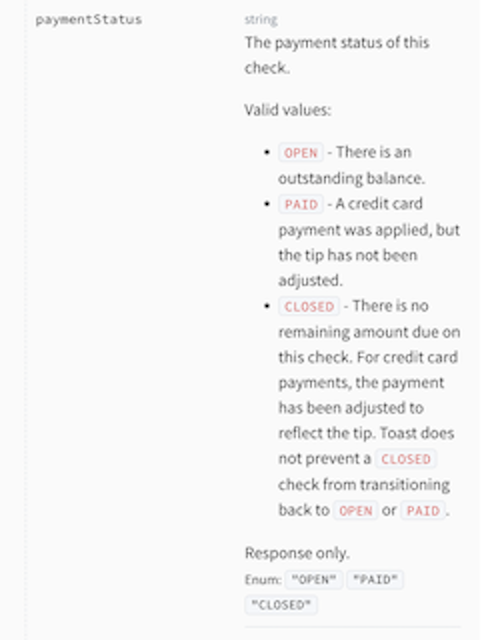
In Toast, if there is ever a balance due on a check, it will never reach the CLOSED status. You can check the paymentStatus field in the check object which will indicate the state of the check ( API Docs Here ):
Additionally, you can look at the amount total in the checks.payments object. All tender types made on a check ( i.e. cash, credit, etc. ) will populate in this object. For the check to transition to the CLOSED state, the sum of these amounts need to equal the totalAmount field of the check.
For example, in my screenshot below, the Total Amount of the check was $14.20. If you look at the checks.payments object, you can see only a cash payment of $10.00 was used and the payment status of the check is OPEN:
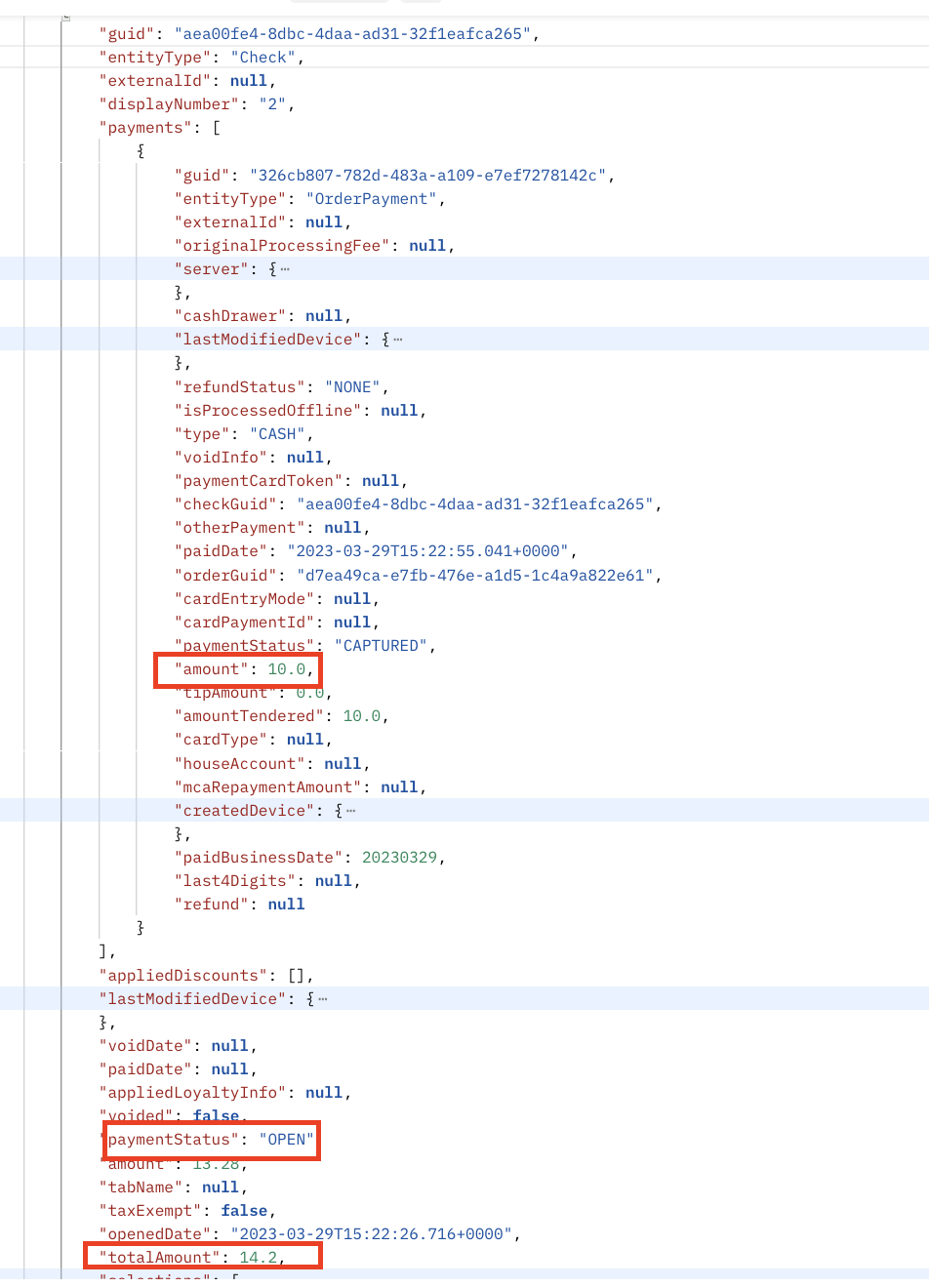
Toast will not explicitly state the balance due of $4.20 on the check and will just indicate to you it is still in the OPEN State. In your examples, is it not following what I described above?
0
Please sign in to leave a comment.
Comments
1 comment