Using phone number in customer object inside Toast directly

Our use case involves creating a $0 order in Toast using the API and when we send phone number in the customer object, it shows up on the Toast terminal, however, when the venue adds a food item to the check, then marks it as ready, no sms notification gets sent. If they manually enter the phone number of the guest in the Toast terminal directly, the sms notification is sent successfully.
Are phone numbers entered in the customer object, not available to be used in this feature?
-

Hi Parag,
Orders that are entered using the orders API do not initiate SMS text messages. Guests or servers only receive text messages when an order is entered in the Toast platform, for example, from a Toast POS device.
To see more Orders API limitations, please visit this section in our API Docs.
Best,
John
0 -
Hey John,
Thanks for your help here. In our use case, the staff is entering the menu items directly through a Toast terminal. Are you saying because the initial order that was created (even though there were no items on that order), regardless of where items are entered, cannot accept sms messages?
Also, what does the below mean? Is it saying that we can send a text through our platform based on the status of the menu item?
To allow guests to receive order fulfillment text messages from your platform, you must build this functionality based on the approvalStatus value on the order.
0 -
Hi Parag,
You are correct. If the source of the order was through the Orders API, Toast will not generate an SMS message even if items are manually added to the check once it entered Toast.
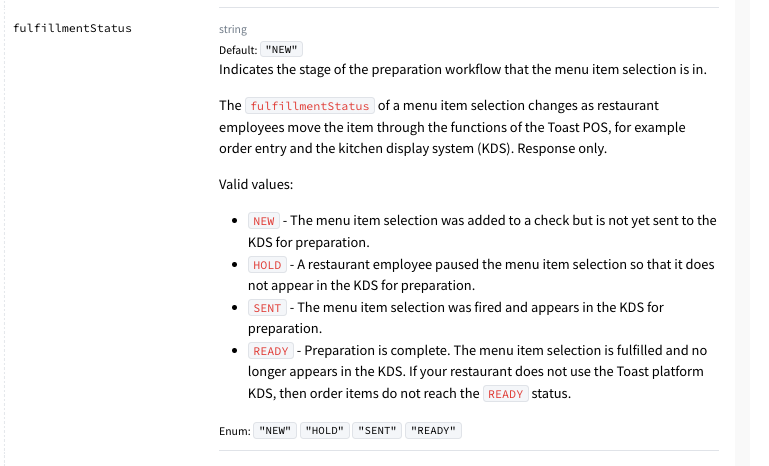
You can generate an SMS message from your platform based on the status of the item. You can confirm if the order has been completed by checking the status of each item on the check by looping through the selections object and checking the fulfillmentStatus field for each item. Here is more information on fulfillmentStatus field and the item will be fulfilled when the item's status is READY:
Best,
John
0
Please sign in to leave a comment.
Comments
3 comments