Loyalty API pointsBalance field
Answered
I am sending the following in the response to a loyalty inquire:
{
    "checkResponse": {
        "accountInfo": {
            "firstName": "Jonathan",
            "identifier": "17881000190019",
            "lastName": "Watts",
            "pointsBalance": "Points: 1\nVisits: 2"
        },
        "appliedRedemptions": [],
        "offers": [
            {
                "amount": 0.0,
                "applicable": false,
                "expiration": [],
                "identifier": "px_120_13_1_4",
                "itemApplication": [],
                "name": "Reward Test",
                "quantity": 10.0,
                "selectionType": "ITEM"
            }
        ],
        "rejectedRedemptions": []
    },
    "result": "success",
    "transactionStatus": "ACCEPT",
    "transactionType": "LOYALTY_INQUIRE"
}
I was expecting to see the pointsBalance somewhere on the popup display but this is what I see.
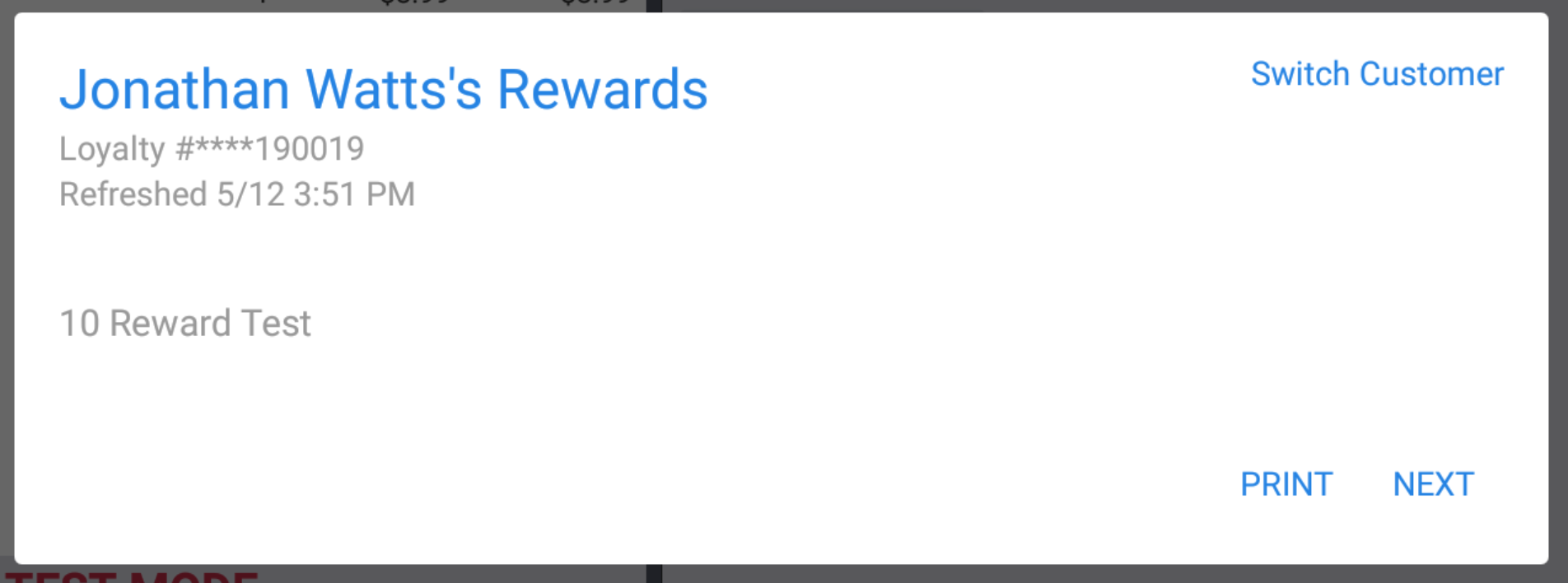
Where should I expect to see the pointsBalance display?
-

(Post removed. Information updated and clarified in later post.)
0 -
So in this case where I have an applicable offer I should be seeing the points balance or am I misunderstanding?
{
"checkResponse": {
"accountInfo": {
"firstName": "Jonathan",
"identifier": "17881000190019",
"lastName": "Watts",
"pointsBalance": "Points: 1\nVisits: 2"
},
"appliedRedemptions": [],
"offers": [
{
"amount": 8.99,
"applicable": true,
"expiration": [],
"identifier": "px_250_9_1_1",
"itemApplication": [
{
"amount": 8.99,
"selectionIdentifier": "bfce357b-ba7c-4bda-b3d8-1038321d55c2"
}
],
"name": "Crab Cake Reward",
"quantity": 1.0,
"selectionType": "ITEM"
},
{
"amount": 0.0,
"applicable": false,
"expiration": [],
"identifier": "px_120_13_1_4",
"itemApplication": [],
"name": "Reward Test",
"quantity": 10.0,
"selectionType": "ITEM"
},
{
"amount": 0.0,
"applicable": false,
"expiration": [],
"identifier": "px_155_22_1_2",
"itemApplication": [],
"name": "Appetizers Reward",
"quantity": 5.0,
"selectionType": "ITEM"
}
],
"rejectedRedemptions": []
},
"result": "success",
"transactionStatus": "ACCEPT",
"transactionType": "LOYALTY_INQUIRE"
}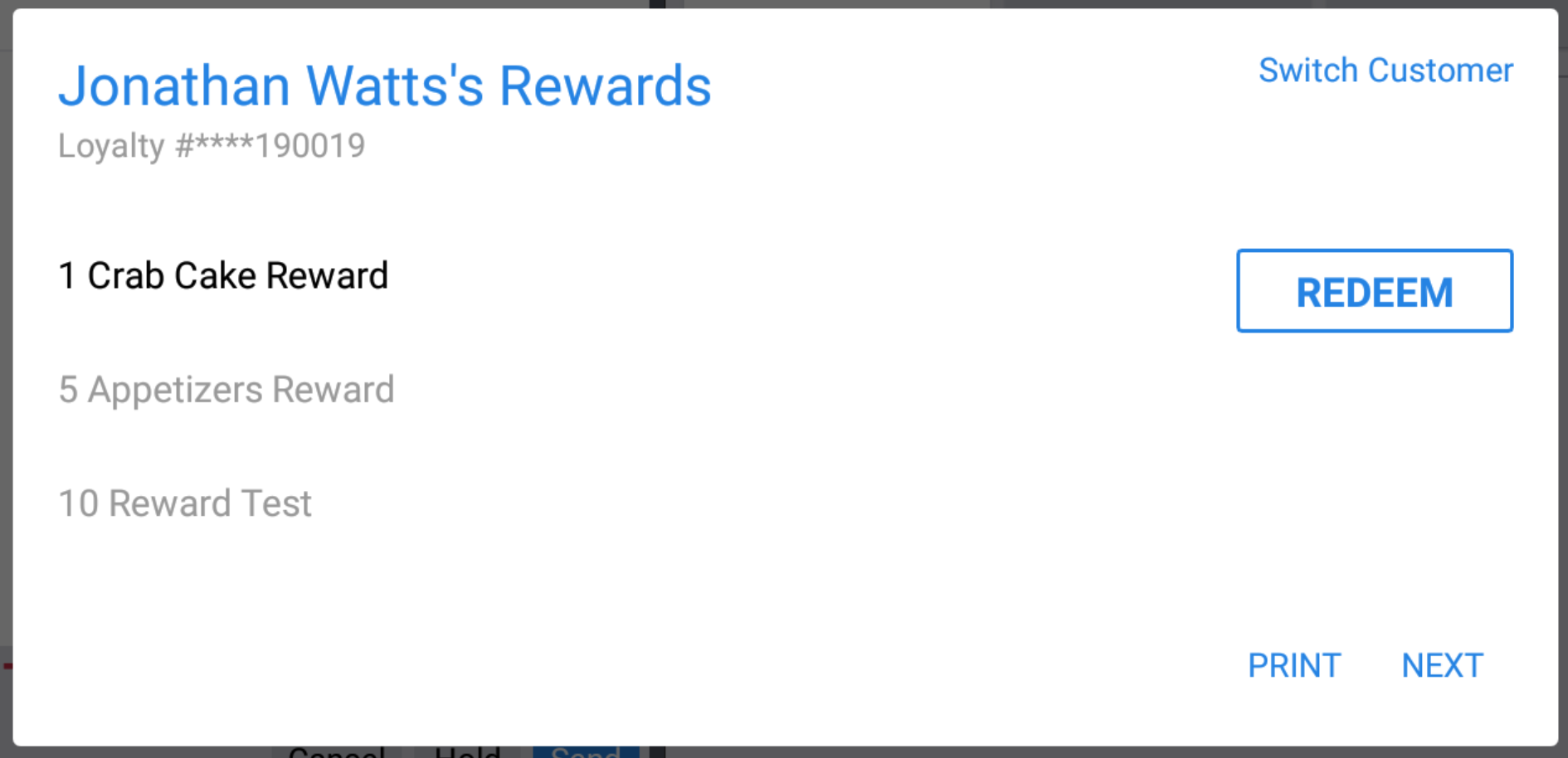 0
0 -
Hi Jonathan,
Oh, I see what you mean. I just took a deeper look at our code and see that we actually convert the points balance you send into a double down the line. The points balance should display with or without applicable offers, but it does need to be a number. Sorry for confusion there. I'll edit my post above, and will make a corresponding update to our docs about the need for points balance to be a number.
Do you see a points balance when you send a numeric value?
0 -
Hi Jonathan,
To confirm, were you able to get the points balance to display after sending a numeric points balance? (With or without an applicable redemption in the response.)
Thanks!
0 -
I am now returning a decimal balance and am seeing it displayed:
"accountInfo": {
"firstName": "Jonathan",
"identifier": "17881000190019",
"lastName": "Watts",
"pointsBalance": "15.00"
}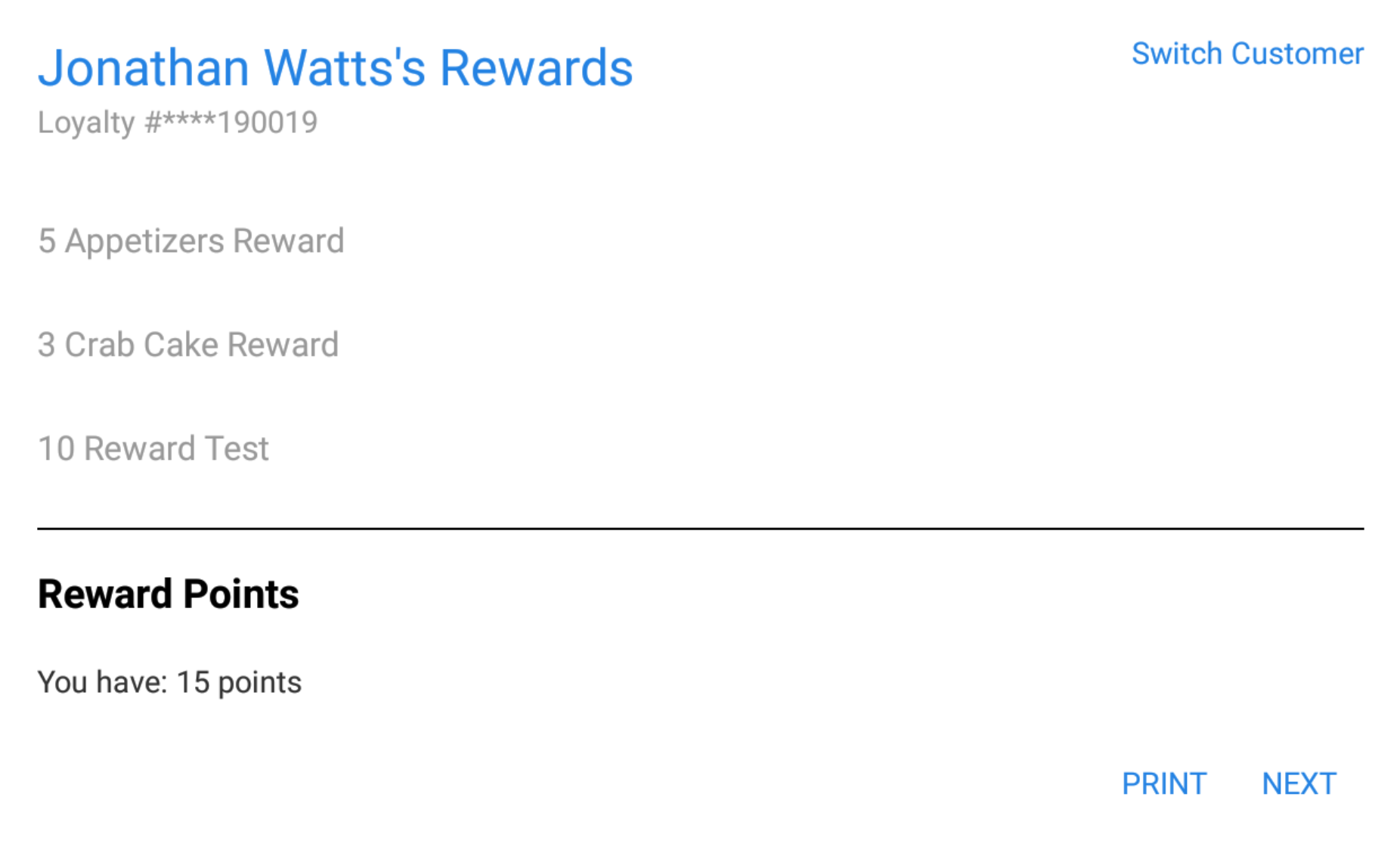 0
0 -
Excellent! I'm in the process of updating our documentation to clarify that pointsBalance must be numeric. The update should be in the docs within the next few days.
0 -
So the implicit assumption is that the guest only has a single points balance. If the loyalty program tracked dollars spent and bagels bought for example we could only show the guest one of those. And it's always going to show up as "You have: X points". It's not possible to brand this in any way like saying "You have: X Coffee Stars".
0 -
That's right. That's a good call-out. I'll update our docs to reflect this info as well – glad you're finding areas that need clarification.
In a perfect world, what do you think is the ideal way the points section should display? I'll pass this feedback along to our product team.
0 -

Hi .. can you please help me with Loyality Program. Im struggling to figure it out from where I can get the API End Points for this?
curl -i -X POST \
  https://toast-api-server/yourapiname/v1/yourendpointname \
0 -

Khurram Saleem, in a loyalty program integration, your API implementation includes a single endpoint. You can choose any name for that single endpoint.
Does this implementation overview explain what you need?
In your implementation of the Toast loyalty integration API, you create a single HTTPS REST endpoint, named in any way you choose. For example:
https://. The Toast platform sends requests to that single endpoint (host name and path) for all loyalty program transactions. You can identify the requests for specific transaction types using themyapi.mycompany.com/myendpointnameToast-Transaction-TypeHTTP header parameter for each request that you receive.0
Please sign in to leave a comment.
Comments
10 comments